Prerequisites
1. Docker Desktop
Download and Install Docker Desktop 4.44.0+ on your system.
2. Download your preferred IDEs (optional)
- IntelliJ IDEA
- VS Code
Enabling WSL 2 based engine on Docker Desktop for Windows
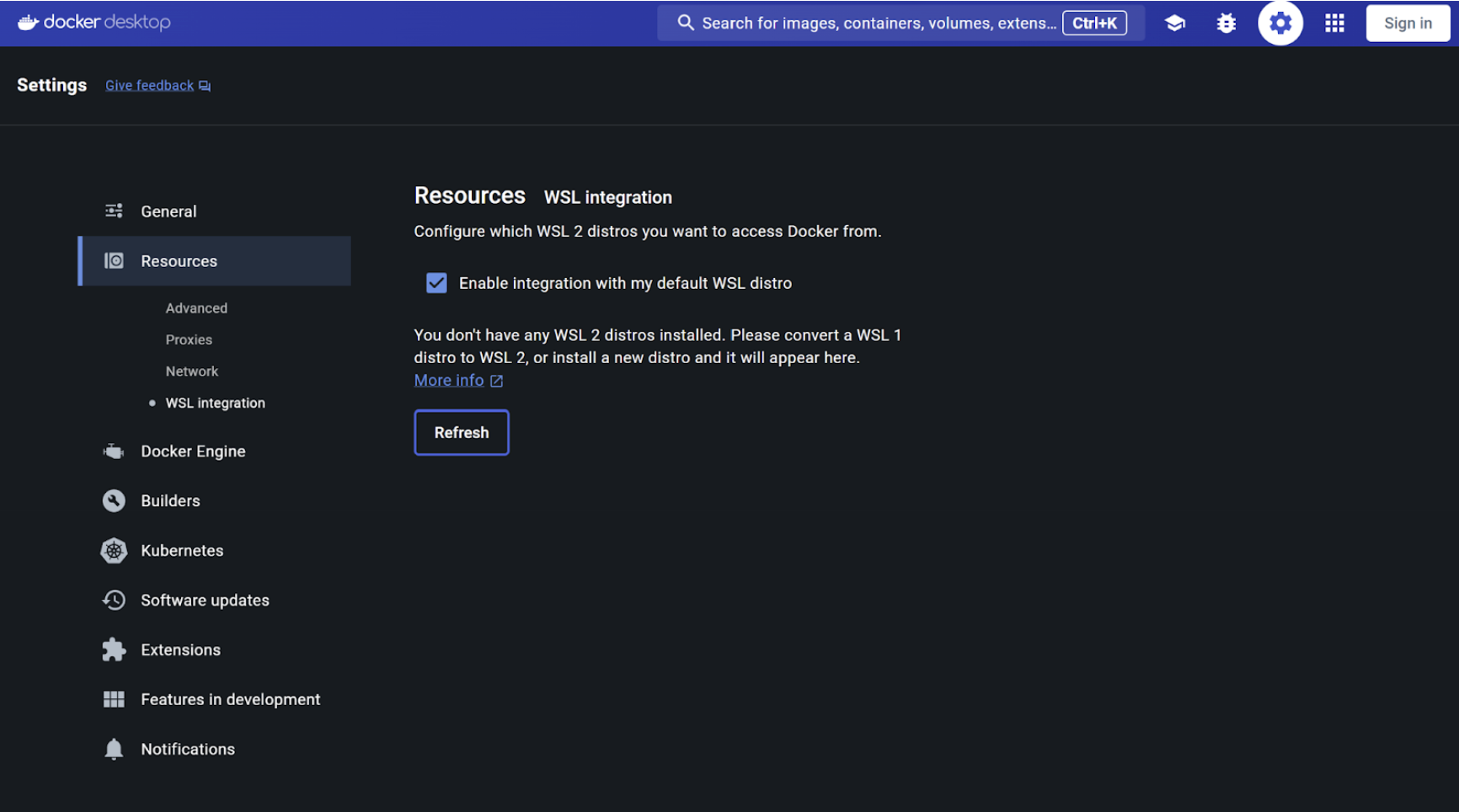
In case you're using Windows 11, you will need to enable WSL 2 by opening Docker Desktop > Settings > Resources > WSL Integration
3. Install Nodejs
To demonstrate the container-first development workflow, you will require Nodejs installed on your system.
Note: You must download and install the Node pre-built installer on your local system to get the npm install command to work seamlessly. Click here to download
4. Access to the repositories
- https://github.com/dockersamples/catalog-service-node
- https://github.com/dockersamples/genai-model-runner-metrics
- https://github.com/ajeetraina/catalog-service-node-chatbot
- https://github.com/ajeetraina/catalog-service-ai-enhanced
- https://github.com/dockersamples/visual-chatbot
- https://github.com/ajeetraina/pen-shop-demo
6. Enable Docker Model Runner (For Docker AI workshop)
docker desktop enable model-runner
7. Download the models (For Docker AI workshop)
Ensure that you have sufficient space to download these models on your Macbook.
docker model pull ai/llama3.2:1B-Q8_0
docker model pull hf.co/menlo/jan-nano-gguf:q4_k_m
docker model pull hf.co/menlo/lucy-gguf:q8_0
8. Download the following images from the Docker Hub (For Docker AI workshop)
docker pull grafana/grafana:10.1.0
docker pull jaegertracing/all-in-one:1.46
docker pull prom/prometheus:v2.45.0
9. Install and configure your preferred MCP Client (For Docker AI workshop)
Ask Gordon  (optional)
Claude Desktop (optional)
Claude Code
Gemini CLI
Visual Studio Code